Posts tagged “newton”.

Updates, uploads coming to UNNA

August 27th, 2010

UNNA updates

The United Network of Newton Archives, or UNNA, is looking at clearing the cobwebs and hosting new Newton-related software after long last.

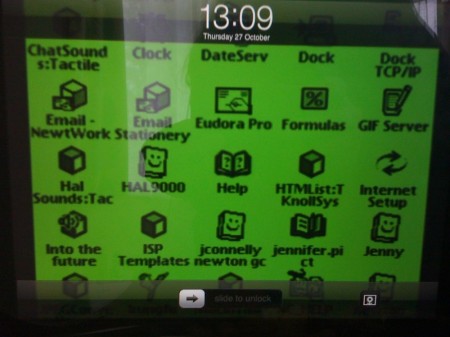
Morgan Aldridge, UNNA wrangler since 2007, gave the above hint on Twitter – a sneak peek at the Recent Additions page. It shows the latest 25 uploads to UNNA through a moderated database, says Morgan.

“Any new files uploaded and existing files that have new descriptions added get added to a moderation queue,” he said in an e-mail. “If it’s just a description, it’s just a matter of tweaking and approving the description. If it’s also a new upload, the moderation tools support publishing the file to the final destination as well.”

The previous UNNA moderator, Victor Rehorst, stopped taking new UNNA submissions in 2004, and then handed off UNNA’s hosting to Morgan. Finally, he says, he’s getting around to adding new stuff to the archive.

“In the past few years a number of Newton-related sites have disappeared for good and I and others have become increasingly worried about preserving all of this data,” Morgan said. “The least I could do is get UNNA opened back up. So, a couple months ago I started moving forward.”

Between some detective work, trying to figure out how Victor managed all the data, and some version control issues, Morgan plunked away at the project a few hours at a time. Now the Recent Additions page is his way of testing out the uploading and moderating tools. UNNA has preserved Newton sites along the way.

The idea is to keep the Newton software and sites in a downloadable vault to keep it from vanishing. As I’ve found, more and more Newton sites are disappearing. The same can be said for software: companies go out of business, people move (or die), computers crash.

Morgan says he doesn’t get a whole lot of submissions these days, but new entries trickle in every few months. Mostly, he says, Newton users have expressed “discomfort with the state of UNNA.” So he’s going to start fixing that. One of the first new entries: Brian Parker of Sealie Computing is submitting full versions of his NewtChat, NewtGlider, and MathFaster packages, and mirrors of the web pages.

“He’s still looking to see if he has the NewtGlider source code and such, but I’m already happy to have this work preserved,” Morgan said.

UNNA is an indispensable resource for any Newton user. I find packages in the archives that I try out just for fun, and Newton Poetry has only been possible through a lot of that old software. It’s great to hear we’ll be getting some new stuff up and available for download.

[Via UNNA on Twitter. Follow Morgan's own Twitter stream, while you're at it.]

NYT: original Newton MessagePad review

August 24th, 2010

From the New York Times’s original review of the Newton MessagePad:

The bottom line on the Newton Message Pad is that Apple promised too much and failed to deliver a useful device for everyday executive chores. On the other hand, the Message Pad practically hums with untapped potential, and six months (or moths) to a year from now it is likely to be a popular executive tool.

…When it was first described publicly more than a year ago by Apple’s chairman, John Sculley, the Newton was said to be a combination pen-based computer, personal organizer, fax and data communicator, and wireless messaging system.The Newton is indeed full of promise, but that’s not the same thing as fulfilling the promises.

I’m just trying to think of a situation where today’s Apple would release a product that had more “untapped potential” than actual usefulness.

The original iPhone, maybe? It didn’t have apps, cut/copy/paste, or any of the things we all take for granted now. But then we didn’t have to worry about faulty handwriting recognition. Today, it seems a new Apple product must have an immediate pick-up-and-use aura. Potential comes through iteration, sure, but you’re not left holding a device that inspires a yawn – or a question of its practical aspects.

The opposite argument is that apps didn’t come to the iPhone until a year after its launch, and then the whole world seemed to open up. With the Newton, it took until at least Newton OS 2.0 to get things in motion.

The kicker of Peter Lewis’s review comes at the end: “The possibilities are grand. For example, one can imagine cellular phone circuitry being shrunk to fit in the Message Pad’s credit-card-sized PCMCIA slot, or a Newton being shrunk to fit in a cellular phone.”

One can imagine, indeed.

[Via Gizmodo, via Retro MacCast.]

Quote of the week: what you need

August 18th, 2010

“I don’t need a phone. What I need is a mobile communications device that can also manage my contact, calendar, and run some useful apps. That’s how I started down my path of indispensable electronic do-dads with the Apple MessagePad 130, aka the Newton 130.”

- Joe Levi at Pocketnow.com.

Newton Collection

August 12th, 2010

Magic Link

Mark Johnson shared a new collection of Newton photos, straight from his collection, from his site Newton Collection.

Johnson shares a bunch of photos of other Newton-powered PDAs, as well, such as the Sony Magic Link and Motorola Marco.

“I started collecting Newtons as they are easier to store than Macs,” he told me. “Space is a premium!”

Use your tech ’till it hurts

August 4th, 2010

E-waste 2010 -  TVs

Patrick Rhone at Minimal Mac:

That shiny new phone you want you don’t want bad enough yet. That system that is getting “a little slow” is not yet slow enough. Even if it is too slow for you it is more than most of the world could ever dream of having. Seriously, use your technology until it hurts – bad. Because the pain all of this consumption is bringing to a world that is just beyond yours is immeasurable.

Amen, brother. It’s something I’m fond of saying, and often repeat (and practice): just because it’s a few years old doesn’t mean it’s not worth using or tinkering with.

Rhone points to Free Geek, a larger, more organized version of my One Used Mac Per Child brainstorm a few years back.

But there’s a larger issue here than just taking old computers and fixing them up. The materials inside them, when shipped overseas, become hazardous beyond belief. We sit here in modern comfort, tossing out our old cell phones (I once saw a guy throw his phone out his truck window, smashing it on the street) or “recycling” our old Macs, never knowing where they end up.

I do my part, but I’m only one person. I do know many others that care about this stuff, and care about geeking out with old Newtons and Macs and keeping that stuff out of landfills and smelting pots. Kudos to Rhone at Minimal Mac for spreading the word.

The Register tears apart an MP120

August 2nd, 2010

Courtesy of The Register UK

Rik Myslewski at The Register takes a look back at the Newton MessagePad 120 in his “Before the iPad there was Newton” article:

The 120 was also the first MessagePad to be upgraded to Newton OS 2.0 (up from 1.3), in late 1995. This significant improvement over the first OS’s iterations was sadly ignored by most of the gadget-buying populace, whose minds had already been made up by the media Scheiße-storm over the shortcomings of the original Newton OS.

Myslewski takes the MP120 apart, exposing all its hard-wired innards, and explaining how the IRD, recharging station, and flash memory cards work.

It’s a good look-back at a turning point in the MessagePad hardware line, though – as Newtontalk wondered – Myslewski offers some arm-chair criticism at the eMate: “The less said about that Giger-inspired oddity, the better.”

Right. Well, thanks for the pictures at least.

Quote of the week: magic, indeed

July 27th, 2010

“What? No ‘Magic Stylus’ for my Newton? Lame.”

- Grant Hutchinson, from Twitter, on the new Magic Trackpad. I’m excited about this, just because the trackpad on MacBook Pros are outstanding. The Magic Trackpad takes the Magic Mouse idea and flattens it, and that leaves all kinds of openings for new input methods on the Mac. We can’t touch our iMac screens yet, but this comes darn close.

G’day, eMate

July 23rd, 2010

For a long time, my Newton MessagePad 110 was the only Newton I owned. Having a Newton OS 1.x device limited my software and tinkering options, however, so I shopped eBay and picked out a nice eMate 300 to try out the Newton OS 2.x software.

As a writer, I dig the built-in keyboard and convenient carrying handle. For frugle reasons, I enjoy the low cost of entry. It’s not the fastest or most up-to-date Newton, but for my modest needs (i.e., I don’t use it everyday), it’s perfect.

The eMate makes a great writing machine. Using something simple like NewtonWorks, or even the Notes app, lets you type up a storm and then export the file as an RTF or plain text file for your Mac or PC.

There have only been a few instances where I have noticed the eMate slowing down, and it has all the stock options that an MP2000 or MP2100 comes with. And at $30 to $40 a unit on eBay, an eMate costs about half as much as a nice MP2x00. If you’re just looking to get started with the Newton, an eMate is your most affordable option.

Keep in mind that an eMate is not the most powerful Newton. Clocking in a 25 MHz, with 3 MB of RAM, the eMate is only a step above the MessagePad 130. MP2x00 models weigh in at 162 MHz (with a StrongARM processor) with up to 8 MB of RAM. If you want speed, you’re going to want a upgraded MessagePad 2000 or MP2100.

The other caution I have is with batteries and charging. My own unit has a flaky relationship with its rechargable battery pack, and you have to get DIY to install your own AA battery tray. With an MP2x00, you can pop in regular AA rechargable batteries and hit the road. It’s a bit more complicated with the eMate.

There’s also the hinge problem.

But man, the eMate 300 makes for an easy, accessible way to get started with the Newton. Even if it’s just to own a piece of Apple history, or try out some old-school NewtonOS software, plunk down $30 on eBay for an eMate (with AC adapter and stylus!) and you’re good to go.

Blake Patterson’s PDA collection

July 21st, 2010

PDA Collection, by Blakespot

Blake Patterson of Touch Arcade and Byte Cellar (check out my interview with Blake) shared his PDA collection over at Flickr.

It’s pretty impressive, what with the Newtons, Compaq iPaq, Sony MagicLink (with Magic Cap OS), and Philips Nino prototype. The retrospective just shows how far we’ve come – from pen-based B&W screens to today’s magic pixie dust.

[Photo courtesy of Blake's Flickr album under the Creative Commons, heads-up courtesy of Blake himself.]

Quote of the week: don’t miss it

July 14th, 2010

“While it still surely has its niche uses, I personally don’t miss handwriting recognition. Not even a little. And I can’t help wondering if voice recognition will go the same way.”

- Jeff Atwood at Coding Horror, on how tough voice recognition (and handwriting recognition) is, despite today’s super-powered PCs.