Posts categorized “ipod/iphone”.

Introducing: The hello Show

January 26th, 2010

The hello Show

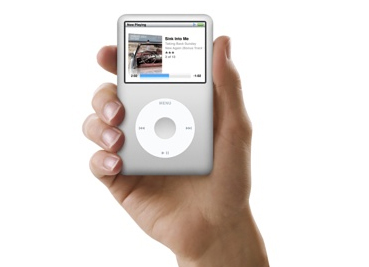
When I bought my first iPod, the first 30 GB video version, podcasts were immediately appealing to me. It was like a talk show I could listen to any time I wanted on any subject I wanted. Over the years, I’ve developed a collection of favorites.

Which is why it’s pretty neat that Newton Poetry reader David Kendal asked me to do a podcast of our own.

So we did one. And it’s out there. We call it The hello Show.

It’s about all the stuff we’re into: Newtons, Macs, the Apple world that we tend to spend an inordinate time thinking about. Probably just like you.

We have a super-simple setup. GarageBand (and, on the other side of the Atlantic, Audacity) plus iChat plus an FTP account – with some of David’s web wizardry – is all we need. So far. We’re definitely learning as we go.

Anyway. Give it a try, if you like. We know there’s plenty out there to listen to, and we’d be honored if you spent an hour or so with us. Shucks, we’d love to have you on The hello Show. If you’d like to be a guest, please contact us and we’ll set something up. It’ll be fun.

Oh. And why “The hello Show?” After a lapse in brainstorming, David sprung the idea of the “hello” text that was featured in the original Macintosh and the iMac advertising. A great idea.

The tablet before the tablet

January 25th, 2010

Newton tablet mockup

Now that an Apple event later this month is official, the tablet rumor mill will churn with industrial-level speed.

The consensus, from what I’ve read: 7-10″ touchscreen, digestable media (print, video, and otherwise), apps ala carte, and some sort of web connection. All that’s almost certain. And, on the surface, the rumored Apple tablet sounds like an updated Newton MessagePad.

Any similarities are superficial, of course. At 12 years old, even the youngest Newton shows it age. But let’s say we were to take a MessagePad 2000 or 2100, or even an eMate 300, and bring it as close to a modern-day Apple tablet as possible. What would we need?

To start, we’d need applications – and lots of them. We’d also need some connectivity with our Macs or PCs. Some sort of media viewability would have to be there, as would an Internet connection. For people to use it, they need to easily understand how it works. Lastly, we’d need support from Apple.

Fat chance on that last one, and we’d never get a color screen, but the rest of that checklist is doable with the Newton. It wouldn’t be as fast, colorful, or rich as a yet-to-exist Apple tablet. But as a proto-tablet, the Newton is it.

As Wired points out in a recent article about network computer (from Oracle’s Larry Ellison):

We tend to think of technology as a steady march, a progression of increasingly better mousetraps that succeed based on their merits. But in the end, evolution may provide a better model for how technological battles are won. One mutation does not, by itself, define progress. Instead, it creates another potential path for development, sparking additional changes and improvements until one finally breaks through and establishes a new organism.

It’s a great article about how technology often gets ahead of itself in the idea department. In time, the tech catches up with the brainstorm.

I couldn’t help but think of the Newton while reading the piece. In this case, Apple pre-empts itself with its own device.

APPLICATIONS

We’ve seen pieces of the Newton, and of PDAs in general, transform into the modern smartphone: personal information management, notes, on-the-go apps. The Newton was made to be a stripped-down PC to take on the road; not quite as powerful, and much more portable, than a laptop. You could sync it with your computer, or you could run the device completely on its own.

Except for the syncing part, the iPhone does this. In fact, I know friends who only sync their iPhone when they have new iTunes content to upload. Most of the time they’re downloading apps and digesting music from Apple’s mobile apps. After the initial set-up, and if you ignore every software update available, it’s possible to control your iPhone without ever syncing again.

Same with the Newton. It was designed as a mobile computer – a standalone unite – just as some think that Apple’s supposed tablet might be.

Along with the hardware interface, the key is good software. The Newton had its share. In fact, it had apps like the ones Apple brags about in its iPhone commercials – financial apps, games, personal information apps, etc. Some developers are still making apps for the Newton, and work continues of Mac and Windows apps that help manage the device.

The iPhone’s popularity comes partly from its depth and breadth of apps. It’s safe to assume that this app-friendly environment will translate to the tablet.

USABILITY

The Newton’s level of abstraction – souping up a notepad metaphor and controlling it with a pen/stylus – helped make the device understandable. With a tablet, Apple has already done the hard work by standardizing the touchscreen interface. In both cases, Apple takes the prevailing interface innovation of the day and runs with it.

With the Newton, it was pen-based computing. With the iPhone, tablet, and even the mouse/trackpad, Apple is taking touch and building an empire.

MEDIA

In the Newton’s day, consuming iTunes-level media was tough. Hard drives weren’t big enough, Internet speeds weren’t fast enough, and the software didn’t exist to manage all that music and all those movies. We had Quicktime, and some simple CD players, but there’s no way I could have ripped my 8,000-song music library onto the computers of the day.

Given that, there were ways to consume media with the Newton. You can listen to music on one, with a little push and pull, and the Newton’s eBook format is still in use today, with tons of titles available. All before Amazon.com ever launched.

Think of the Newton, and the iPhone today, as the perfect airport device. If you don’t want to lug a bunch of books or a laptop on a trip, the portable Newton is perfect. Read a book, play a few games, scribble some notes to yourself. Whatever. If you’re a small business owner, or hooked up to a large corporate network, you can even get some work done.

This is the tablet ideal: something portable to carry all your consumable stuff.

INTERNET CONNECTION

The Newton was one of the first devices to help the idea of e-mail spread with NewtonMail. Here was a handhald mini computer that you could use to send faxes, make phone calls, and check your e-mail – and even browse the Internet.

A wifi card, a newer-model Newton, and some driver-fu, and you are still in business.

As fun and geeky as it is to connect with a Newton, it still pales to Mobile Safari. The web has grown up a lot, and it makes it almost silly to think about doing anything other than checking out text-only sites.

Now, exceptions exist. If you’re a member of the Newton community, half the fun is seeing how many exceptions you can create. But accessing the web is where the tablet will really shine.

The point is, Apple paved the way in accessing the web from a mobile device with the Newton. With the iPhone and soon, supposedly, the tablet, it’s built a mature system.

FAILURE BEFORE SUCCESS

As the Wired article shows, pioneering projects often come out before the world is ready for them. For Oracle, the network PC lacked the infrastructure to deliver Internet-on-demand computing. But it helped show that the desktop computer wasn’t the last best idea out there.

It is worth noting that, in retrospect, the Newton was an expensive gadget. Without comparing specs and ability, when you look at a $500 unsubsidized iPhone compared to a $1,000 PDA, it’s easy to see where the Newton stretched the average American’s budget too tightly. It could be that, at the time, the technology simply cost more then than comparable technology costs now. Lower costs certainly lead to wider adoption, which explains why the Newton struggled to gain momentum.

But still, with the Newton, the idea of a mobile, self-sustaining device that allows you to consume media, get some work done, and make connections in an intuitive way was set in motion before the world was ready. Apple has shown, with the iPod and iPhone model, that the MessagePad ideals are still viable and ready for action.

Now that everyone is waiting with clenched teeth for the rumored tablet, the Newton ideal seems like it has finally found its place in the world.

Newton keyboard? There’s an app for that

December 1st, 2009

Well I’ll be.

The secret is, you have to have a jailbroken iPhone and a few connectors (details at the namedfork.net source page), but man – look at that thing in action.

Lots of luck to anyone who tries it.

[Via Thomas Brand.]

CNet UK pits Newton vs. iPhone

November 27th, 2009

Newton vs. iPhone

We’ve seen this kind of thing before from the chaps at CNet’s UK edition: a battle of the handhelds, this time featuring the Newton MessagePad and the iPhone.

The duel features arguments over design, screen quality, applications, reliability, connectivity, and “special powers.”

Rory, the dude who sided with Samsung in the last smackdown, chooses to battle with the Newton this time around, and sticks it to the iPhone with the Newton’s app selection:

The Newton, a device older than Jamie Lee Curtis, has both copy and paste, a global search function and the ability to multitask. When it first emerged, the iPhone had none of these things and not even the iPhone 3GS — the daddy of all iPhones — can properly handle more than one application at a time.

I won’t ruin the ending for you, but it’ll probably come as a (contrived) surprise.

I did my own head-to-head battle quite a while ago, but what I missed out on was the fun boxing graphics. Now I know.

Simple steps to audio perfection

October 26th, 2009

Plugged-in iPod

Sometimes the best finds in life come from sheer accident.

That’s definitely the case with the plug-in USB charger I found in my local Meijer auto section while browsing through the aisles on a whim.

First, let me say I bought a new car – a 2004 Volkswagen Jetta 2.0L. I’ve always wanted one, and I got a real beauty at a great deal.

When I travel, though, I always make sure I have a way to listen to my music and charge my iPod or iPhone. The Jetta does not have an auxilery jack in the Monsoon stereo. What it does have, however, is a universal power outlet in the middle console.

Before, I’ve used products like Griffin’s RoadTrip and similar devices that transmit an iPod’s music through an FM signal to the stereo while charging the device.

I purchased a new RoadTrip last winter to work with my iPhone 3G. Over the summer, however, it was stolen out of my car. The killer is, these devices are not cheap – so it’s not like I can easily replace an FM transmitter. On average, they can run from $50 to $100.

But with my new car, I wanted something that would let me listen to my iPod music while driving. I hoped to find something on sale, or at a reasonable price. Unfortunately, I saw the same products at the same prices, and left the iPod gadget aisle.

Then I stopped in to the automotive section at Meijer and looked at the offerings there. What I saw surprised me: the car stereo section featured many of the same products as the iPod section, but from different manufacturers. And at much cheaper prices.

While browsing, a little gadget caught my eye. It was a simple power jack with two USB ports in the back. All it did was power a USB-controlled device, like a phone, digital camera, or MP3 player. That’s it.

And it was $5.

Where the heck has this little handy gadget been hiding? It was just what I needed: a convenient device that did one thing (charge my iPhone/iPod) through a USB connection. I could bring my Apple-provided USB cable, the same one I sync my iPhone with, along on car trips when I need the extra power.

For music playback, I went old school. My Jetta comes with a cassette tape player (that awful, awful technology), and I still had my cassette-to-CD player adapter from high school. Back then, I would bring my portable CD player and connect it through the adapter to my stereo. The adapter works with a simple 3.5 mm headphone connection, meaning I could plug it into the headphone jack in my iPod or iPhone and be in business.

So for $5 and an old relic, I have everything I need to listen to my music and charge my iPods.

I could even charge my Shuffle if I brought along its unique plug-in dock. Sure, this means a few cables (the USB cable, the cassette adapter cable) running around my middle console, but I sure can’t beat the price.

An added benefit is the audio fidelity. Before, with my FM transmitters, I’d fuss with the stereo and transmitter settings trying to find the right station without a bunch of static. Now, with something as simple as a cassette adapter, I get great sound. It’s not perfect, but it’s good enough.

The lesson I learned is sometimes simpler is better. I was lucky enough to have everything – a cassette player, a conveniently-placed power outlet – at my disposal. But I was also lucky enough to go shopping in my local retailer’s automotive section, too, which is something I didn’t know before.

Often, when you buy a product, you’re just buying the name. Some people claim that about Apple, of course, but in the case of iPod accessories, it really is true.

iPhone stylus in the wild

September 11th, 2009

iPhone stylus

Saw this little beauty in a local auto parts store (!), right next to iPhone skins and car chargers.

I like how it says “makes it EASY to use your iPhone.” Like using a finger is hard? Maybe if you have big fingers.

The most useful part of the package might be the included gel skin, but I can’t say that in all fairness. I haven’t tried an iPhone stylus.

Shucks, I even press some of the Newton’s on-screen buttons with my finger, just to get things moving along quickly.

Blame AT&T

August 27th, 2009

Amanda Fortini, writing for Salon.com, finds a good reason to complain about her “evil iPhone”:

The calls that go straight to voice mail, though, are the worst byproducts of the [AT&T] network’s weakness. Those messages pool silently, while the iPhone never deigns to give a signal or beep of any kind to indicate that they’re idling in your mailbox…If the phone was previously allowing voice mail messages to pool, now it seemed to be holding them for ransom. Even when it has service, messages don’t come through, and then later show up all at once, as though the iPhone has finally decided it’s in the mood to release them. Last week, all of my contacts in the address book vanished before inexplicably reappearing. The phone is worse than an orchid; it’s a high-maintenance techno-girlfriend whose demands are inscrutable and impossible to meet.

Fortini complains about the touch-screen typing and the auto-correct feature, too, both of which I’ve become used to and – over time – have come to enjoy. I like how the keyboard changes depending on how you’re holding the iPhone.

She also complains about how easily the screen cracks after you drop it, which seems like complaining about your car’s crumpled hood after you rear-end someone. I have my own first-hand experience with Fortini’s “fault,” and I know where the blame rests: squarely with me.

But the AT&T network (lack of) service and the voicemails not appearing until hours or days later – that’s got to stop. At first, I thought it was the piss-poor service in my apartment. One side of the apartment, and the upstairs, gets decent reception. But move into the dining room or the kitchen and you cross some sadistic border where cell service is completely missing. It’s like my rooms are made of Superman-grade lead.

It’s only natural that the iPhone receives some backlash. It’s becoming so popular, and selling so well, that problems start to become a statistical guarantee. The more people use something, the more it goes wrong. Think about when the iPod become super popular and then, predictably, started to attract critics.

Some of the iPhone’s problems are legit. The problems, however, are not with the phone itself. Mostly, I blame AT&T. It’s their network that sucks, and it’s their voicemail that fails to come through.

Get even the most basic aspects of the phone wrong – you know, the calling at the messages and whatnot – and the whole device seems to be tainted. I don’t believe that’s the case. I love the apps and the iPod and the fun the iPhone provides. It’s just that I also find myself cursing when Twitterific gives me a “timed out” message, or the Facebook app loads at dial-up speeds. That’s the fault of the network.

“Don’t blame the phone,” I tell my friends. “Blame AT&T.”

iPhone 3G goes boom

August 14th, 2009

iPhone shattered 2

The worst possible thing happened to me last Friday: I dropped my iPhone 3G and shattered the glass screen.

I say “worst possible” only because of the way I felt at the time. When I picked it up after dropping it on the tile floor at work, I nearly sobbed. It felt like my dog just died.

Friday’s incident wasn’t the first time I dropped my iPhone. Thankfully, each time before, I dropped it on its protective white case.

Last week, however, it landed like a piece of toast and jelly, business-side down.

I couldn’t tell whether the awful screeching sound was from the phone or from me, but I knew right away that something terrible just happened. Picking it up from the floor, turning it over to see the damage, I felt my face grow pale. Everyone has to experience post-traumatic stress disorder, I reasoned, even in non-combat situations.

This was it. My phone was doomed. It turned on, luckily. The touchscreen still worked. But now there was a horrible spider-web crack across the top half of the screen. It was more than damaged – it was shattered. I took it back to my work desk and just stared at it.

Then I did some research. I didn’t opt for the Apple Care plan, so I was on my own financially. The best I could do is take it to my nearest Apple Store and see what they could do. From everything I read online, the best option was to pay $200 and have the Apple Store mechanic replace the glass screen. iPhone 3GSs are nice, but my phone was fine, and I don’t qualify for an upgrade. Not yet.

The glass replacement is exactly what happened, but that’s only half the story.

I took it to the Ann Arbor Apple Store, at the Briarwood Mall, and explained my situation to the Geniuses. My option was exactly as I had figured: $200 for a new glass screen ($100 of that is just for labor). And it was a quick fix. I had my iPhone back in about 10 minutes. When the Genius gave it back, I clicked on the wake button, saw that the iPhone was alive and kicking, and headed out the door.

When I got home, however, I found that the home button on the phone wasn’t working. I would open an app, get done with it, and click the home button to return to the iPhone screen. But when I hit the home button, nothing happened.

Whatever happened between the Genius taking my old glass screen and replacing it with the new one was enough to make my iPhone malfunction. The home button wasn’t taking me home.

I placed a quick call back to the Apple Store. A representative, Mike, answered. When I started to explain my problem, he kept saying, “Hello? Is anyone there?” Then he hung up. Weird.

A second call yielded the same results. A rep named Cat answered, asked “Hello?” a few times, and hung up.

My mic, it seems, was busted too. In fact, everything from the the home button down was malfunctioning. I called the Apple Store on the home phone and set up an appointment for the next day – Saturday at 1 p.m.

I came back into the store, and the Genius that helped me the night before recognized me.

“Weren’t you just in here last night?” she asked.

“I was, now I’m back,” I said. “However you guys replaced the screen, it busted the home button and the microphone.”

The Genius tried connecting my iPhone with the USB cable, but it wouldn’t sync with iTunes. Even the USB port, it seems, was broken. The technician took my phone to the back, disappearing for a few minutes, and came back with good news:

“We’re going to give you a new phone.”

Hoo-ha. He switched my SIM card out of my old phone, popped it into the new phone, and kapow – I had a brand new iPhone 3G.

I took it back home and, after a few connection issues involving resetting the phone several times and a lot of cussing, synced all my apps and data back to my phone.

The whole process, from me shattering my iPhone’s screen to getting a new phone from Apple, was a lesson. Now I grip my phone a little tighter and treat it like a new parent treats their bundle of joy.

But I have to give credit to Apple. Sure, I paid $200 for a new glass screen, but they made the whole process as easy as possible – right down to recognizing that their technicians did something to break my first iPhone. They remedied that with a brand new phone, and it was the right thing to do.

Take back the beep

July 30th, 2009

[An open letter to AT&T rep Mark Siegel in response to David Pogue's "Take Back the Beep" campaign. I sent this in an e-mail to Mr. Siegel at 6:57 p.m. today.]

takebackthebeep

Mr. Siegel,

As an iPhone user, I’m lucky. My voicemail greeting does not burden a caller with an inanely-long “after the beep” message. I realize I’m one of the lucky few, however, because I face this message every time I call someone else.

It has to stop. And not just because of the cost to consumers.

I realize that AT&T needs to make money, and while I wag my finger in shame at using a tactic like the beep message, I understand. I work at a financial institution, and we’re all about using little things, here and there, to draw in more income.

What’s annoying is that it wastes my time. And time, sir, is something I can’t get back.

Like Mr. Pogue mentioned in his article, the basics of leaving a voicemail – which have been with us since the dawn of the answering machine – are known to everyone but the Amish and the corrupt. In fact, many voicemail greetings created by users include the words “you know what to do after the beep” or “leave a message after the beep.” Adding extra instructions without a user’s consent is time wasted.

We’re not long for this Earth, Mr. Siegel. You, or me, or your communications professor from college could go at any time. We live in strange times, after all, and one never knows when the mortality clock could stop ticking. It could happen as I type this. Ever heard of ball lightning?

Anyway, the point is – please let us users decide how much of our friends’ and family’s time to waste. What do you say? Instead of sitting and listening to a laughably-didactic woman tell me I can “page” (is this 1996?) the person on the other end, I just want to leave a message without being accosted by the recorded message. Right?

Right.

Dave Lawrence
AT&T Customer
Jackson, MI

PS: Fix your service. Half my apartment gets a mediocre reception, while the other half has none at all.

NewtMail: White iPhone tough enough?

July 2nd, 2009

The manly white iPhone

Chad S. writes:

I was doing some searching on Google for white iPhone impressions. WIth the new 3GS coming in both colours for both GB versions I have a choice to make when I upgrade from my 1G. Now I’m not the type of person to baby my gadgets, and I don’t believe in cases. So my question is, having had a white iPhone for some time now, how much do you baby it, and how badly scratched / scuffed is the back?

I love the look of the white, and if it scratches less than the black I’ll be all over it. I’m just worried that after time it will end up looking ‘dirty’ or really worn in instead of just scuffed. Thanks.

Good questions, all, because I was worried about the same thing.

For instance, I took a look at my iBook G4 and wondered, “Do I really want another white Apple product?” They get so dirty so fast.

I’m a big fan of the white iPhone myself, and have defended it in the past (people still wonder about the white iPhone’s “manliness,” judging from the search topics above). I opted to get a white case my iPhone, in the end. It matches the 3G back perfectly. The only thing missing (sadly) is the Apple logo. Looking at the back of my phone, I see all the scratch marks and am thankful I opted for the case.

Think of this: do you have an iPod? Is the metal back all scratched? Your iPhone will be comparable, depending on what else you keep in your pocket, how much you baby it, etc. Shucks, I have a back to mine and I still baby it.

I hope that helps.